
All Entries #
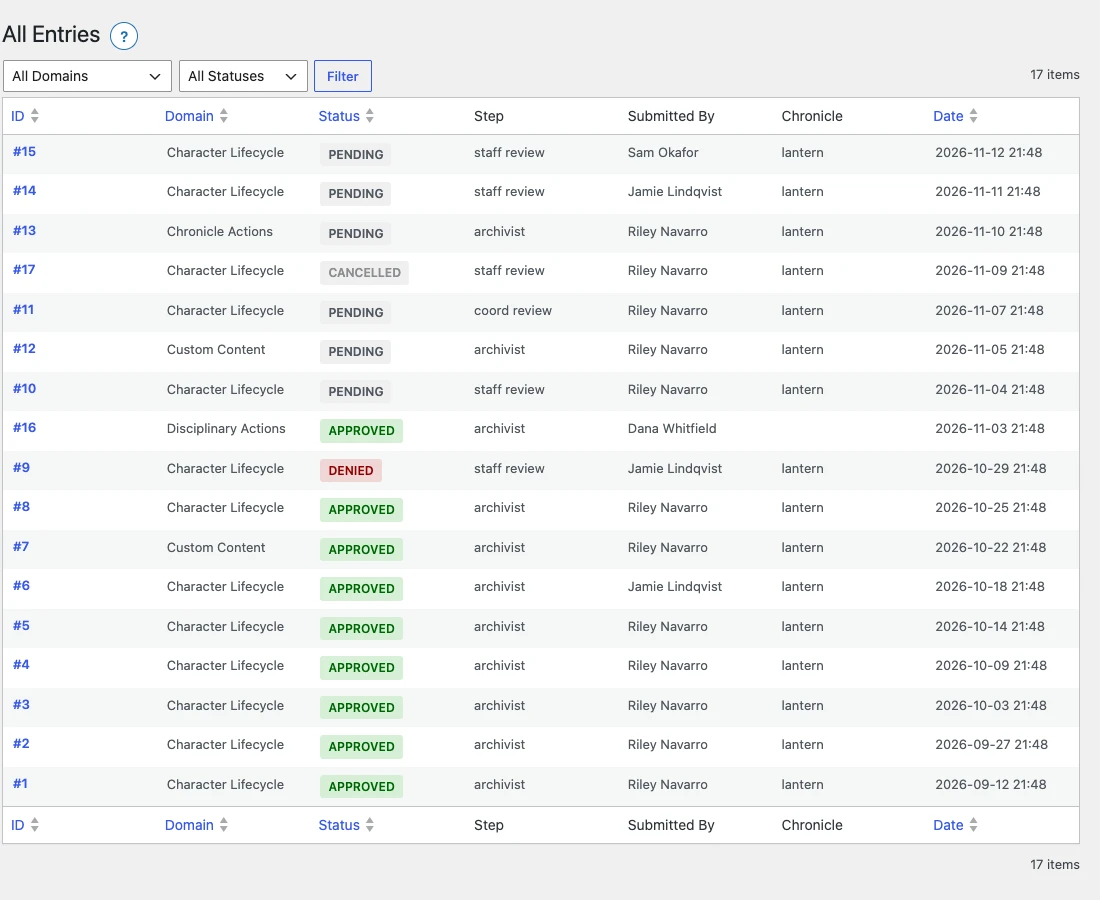
Every request in OAT, whoever filed it and wherever it stands, for the Archivist's team.
Who can use this #
Accounts with the Archivist's access on the Archivist site: site admins, and anyone a site admin has given it.
How to get there #
On archivist.owbn.net, wp-admin → Archivist → All Entries.
The screen #
- All Domains and All Statuses – narrow the list.
- The table – ID, Domain, Status, Step, Submitted By, Chronicle and Date. Click a request to open it.
Common tasks #
Find a request #
- Pick its domain and status, or sort by Date or Chronicle.
- Click it to open its page.
Things to know #
- Requests are records and stay as filed: to stop one, deny it, or its filer withdraws it, on its page.
- Members follow their own requests on the Archivist Inbox; this list is the whole archive.
Troubleshooting #
- The menu isn't there. Your account doesn't have the Archivist's access on the Archivist site. A site admin gives it.
