
General Settings #
OWBN Core's site-wide settings: the gateway this site serves to other OWbN sites, where its data comes from, caching, and who hears about data changes.
Who can use this #
Site admins.
How to get there #
wp-admin → OWBN Core → Settings (the screen is titled OWBN Client Settings) → General.
The screen #
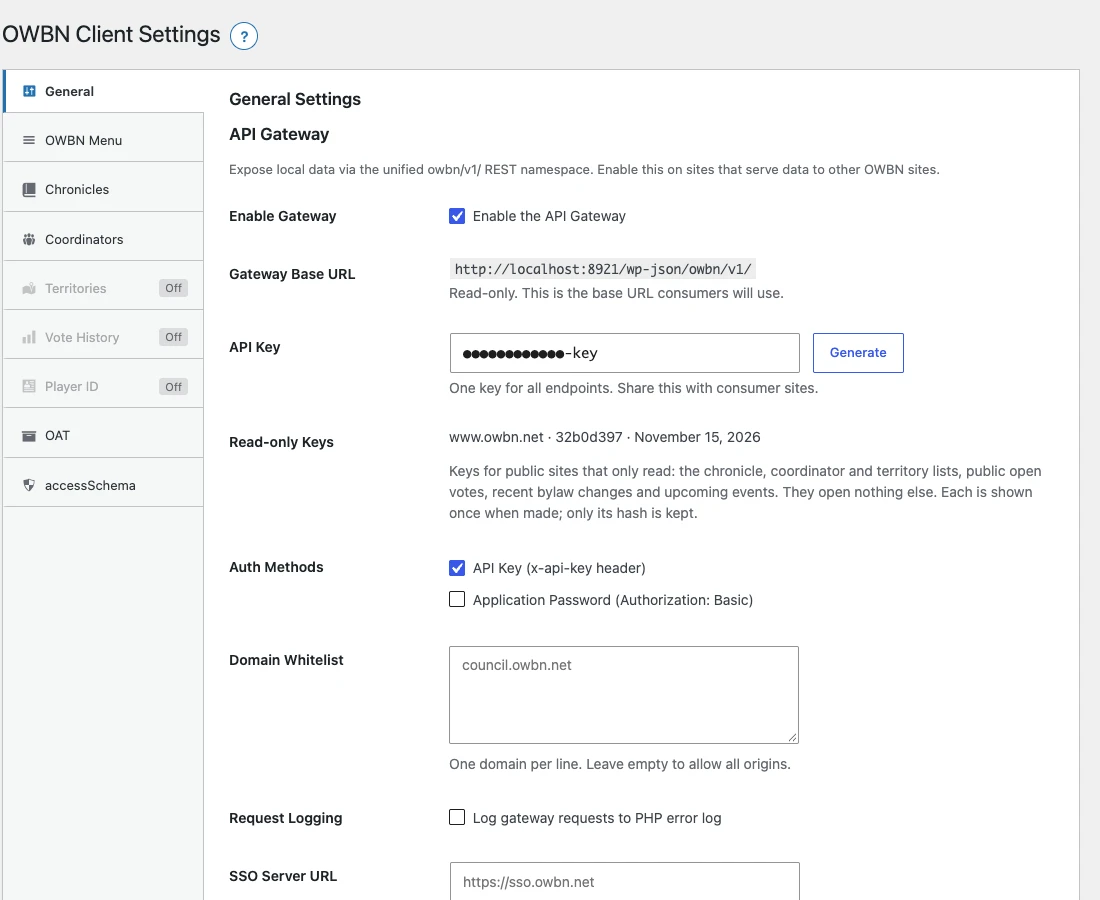
- API Gateway
- Enable Gateway – turns on this site's
owbn/v1/routes, which other OWbN sites read data from. Only a site that serves data to others needs it. - Gateway Base URL – read-only: the address other sites use.
- API Key – the full key other OWbN sites send to this site. It opens every route, writes included, so only sites that act for members should hold it. It shows as dots and its last four characters. Click in it to type a new key, or click Generate for a random one.
- Read-only Keys – keys for a public site that only reads: the chronicle, coordinator and territory lists, public open votes, recent bylaw changes and upcoming events. Each line shows the key's label, the first eight characters of its fingerprint and the day it was made. The web team makes a key and hands it over once; only its hash is kept here.
- Auth Methods – API Key (x-api-key header) and Application Password (Authorization: Basic).
- Domain Whitelist – one domain per line. It only judges requests from a browser (ones that say which page they came from); requests between OWbN sites rely on the key alone. Leave it empty to allow any domain.
- Request Logging – writes one line per gateway request to the site's PHP error log.
- SSO Server URL and SSO API Key – only needed on the Archivist site: OAT checks with sso.owbn.net that someone has an OWbN account before making their Archivist account. The key is sso.owbn.net's own gateway key.
- Enable Gateway – turns on this site's
- Data Sources
- A tab marked Off belongs to a data type switched off here.
- Default Remote Gateway – Remote URL and its API key: the site every data type set to Remote reads from, unless that type's own tab names another.
- A table of each Feature, whether it is Enabled, and its Mode. Each one has its own tab for the rest.
- Cache Settings – Cache TTL (seconds): how long data fetched from other sites is kept.
0means no caching; the default is 3600 (an hour). - Content Authorship – Anonymize Post Author: new posts of most kinds are saved with no author (attachments keep theirs). Staff can still set an author afterwards, and editing an existing post doesn't change its author.
- Status – each data source with its mode and how much is cached, and whether C&C Manager, Territory Manager and Elementor are on this site.
- Cache Management – Clear All Cache (the next page load fetches fresh data), Refresh All Cache (clears it and fetches again now) and Refresh Entity Cache (rebuilds the list that turns chronicle and coordinator slugs into names).
- Change Notifications – Notification Email: addresses, separated by commas, emailed when chronicle or coordinator data changes. Leave it blank to send nothing.
Save Changes saves the tab.
Common tasks #
Let another OWbN site read this site's data #
- Tick Enable Gateway.
- Click Generate and copy the key before saving.
- Click Save Changes.
- On the other site, put this site's address and the key in its data source settings.
Get fresh data now #
- Under Cache Management, click Refresh All Cache.
Things to know #
- Saving the tab keeps every key that still shows dots. A key only changes when you type or generate a new one.
- Changing API Key cuts off every site still using the old one until it has the new key.
- Data from other sites is only as fresh as Cache TTL allows; Refresh All Cache skips the wait.
Troubleshooting #
- Another site gets "Authentication required." It isn't sending this site's current API Key. Give it the key again.
- A browser request gets "Request origin not permitted." Its domain isn't on Domain Whitelist. Add it, or empty the list.
- Status shows a source with nothing cached. The site can't reach its gateway. Check the URL and key on that source's tab and on Default Remote Gateway, then click Refresh All Cache.
