
A Member's Roles #
The roles one member holds, on their account on sso.owbn.net, and how to find who holds what.
Who can use this #
Site admins of sso.owbn.net.
How to get there #
wp-admin on sso.owbn.net → Users → click the member → Access Schema Roles, near the bottom.
The screen #
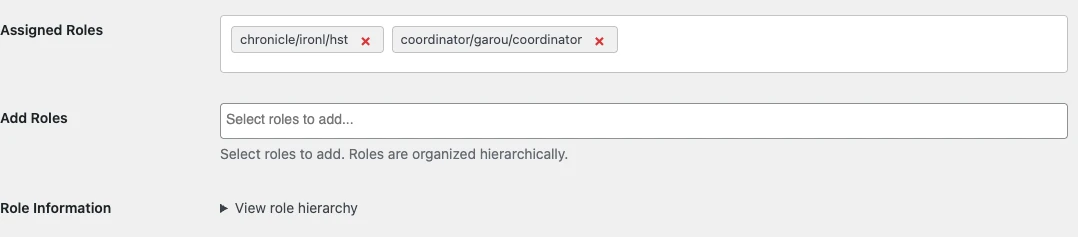
On a member's account
- Assigned Roles – every role they hold, each with a remove button.
- Add Roles – type to search the registry, and pick one or more roles.
- Role Information – View role hierarchy shows where their roles sit.
- A grant a rule refuses shows "Role assignment blocked by rules:" with the reason.
On the Users list
- ASC Roles – each member's roles.
- All ASC Roles – show only the members holding one role, or — No ASC Roles — for those with none.
- Role pattern – show the members holding any role that matches, such as
chronicle/*/hstfor every HST.
Common tasks #
Give someone a role #
- Open their account and scroll to Access Schema Roles.
- Under Add Roles, pick the role.
- Click Update User.
Take a role away #
- Click the remove button next to the role under Assigned Roles.
- Click Update User.
Find everyone with a role #
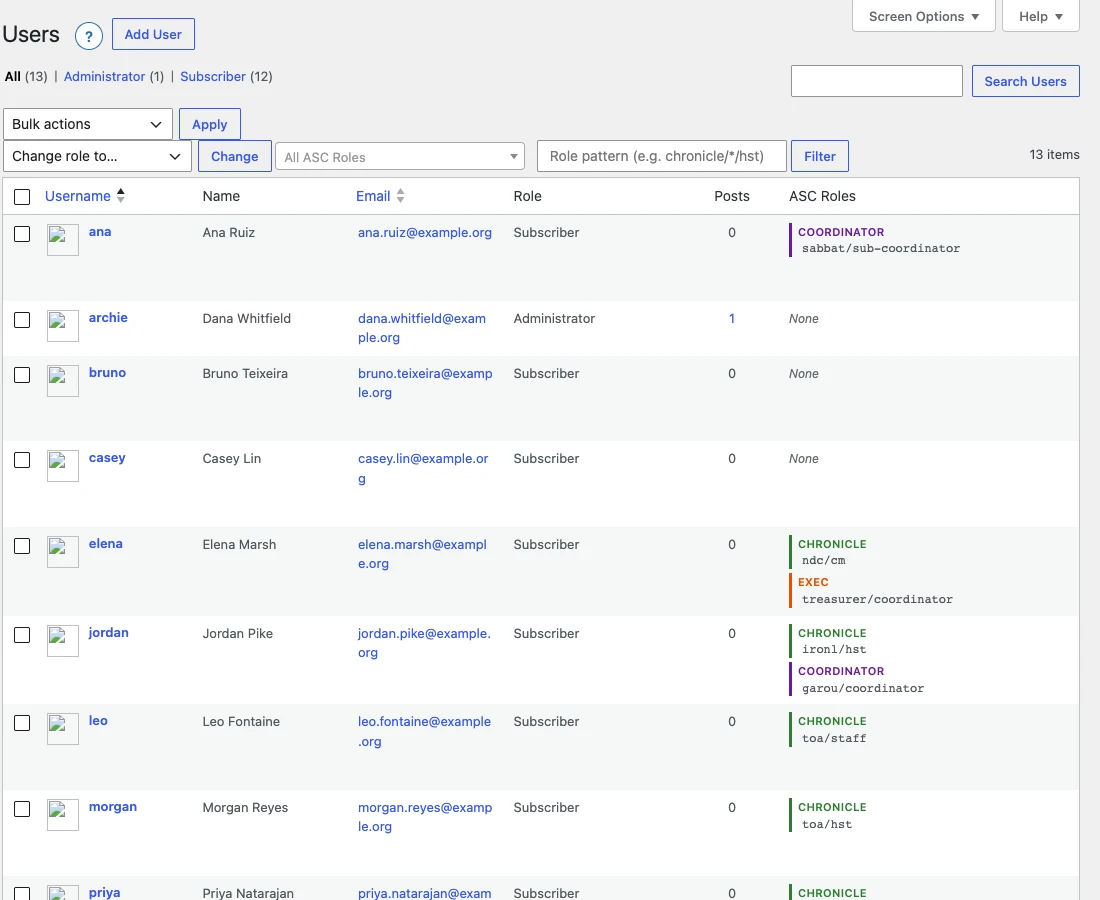
- On Users, type a pattern in Role pattern, such as
coordinator/*/coordinator. - Click Filter.
Things to know #
- Change chronicle and coordinator staff through C&C Manager where you can: it keeps the record and the roles together. A role changed only here leaves the record saying something else.
- Other sites hold on to a member's roles for a while. The member picks up a change by signing out and in again.
- Removing a role here can't be undone from this screen; give it back the same way.
Troubleshooting #
- "Role assignment blocked by rules:" The member holds a role that a rule says clashes with this one. See accessSchema Rules.
- The role isn't in Add Roles. It isn't registered. Add it in The Role Registry first.
- The member still can't do something on another site. Have them sign out and in again there.
