
Archivist Toolbox #
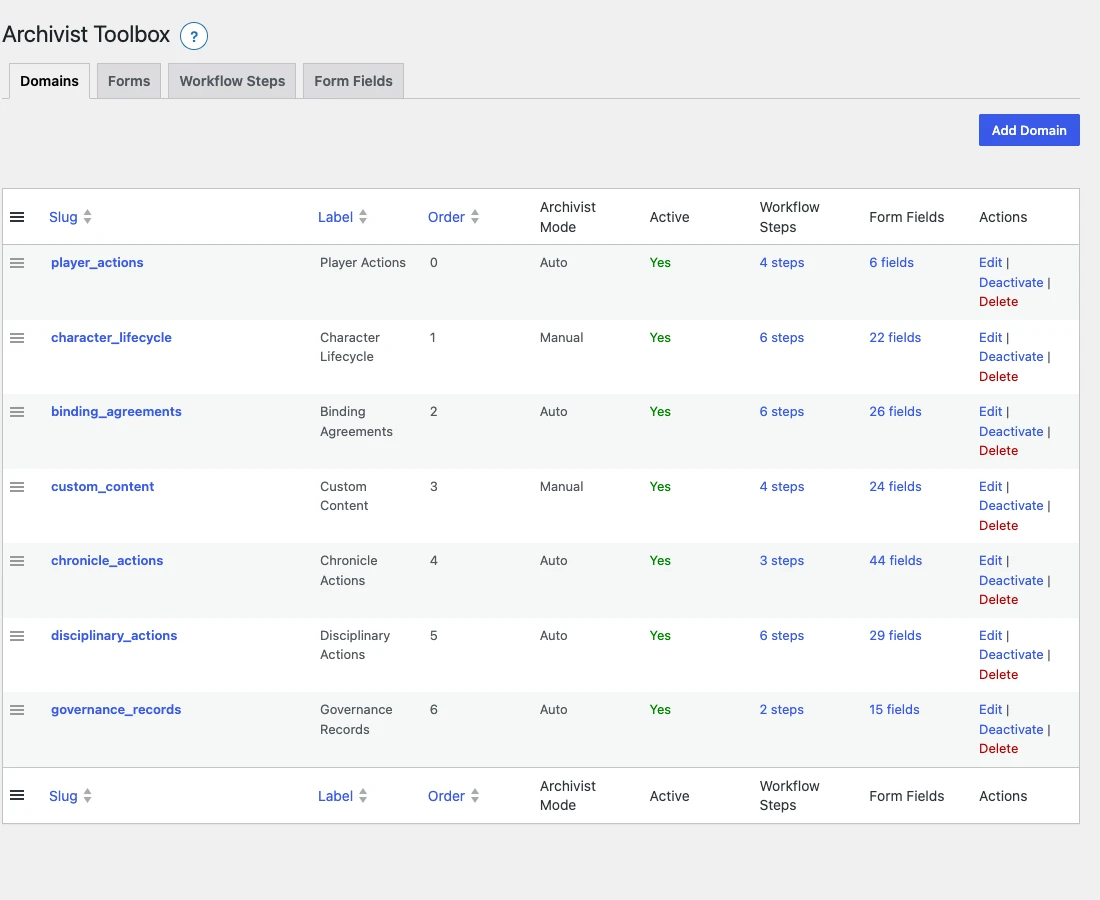
Where OAT is set up: its domains, its forms, the fields on each form, and the steps each domain's requests go through.
Who can use this #
Site admins on the Archivist site. A change here changes what every member sees on every OWbN site.
How to get there #
On archivist.owbn.net, wp-admin → Archivist → Toolbox.
The screen #
Four tabs, each its own screen:
- Domains – the kinds of request. See Domains.
- Forms – the requests members file. See Forms.
- Workflow Steps – the steps a domain's requests go through. See Workflow Steps.
- Form Fields – what each form asks. See Form Fields.
Common tasks #
Add a new kind of request #
- Add the form under Forms and give it a domain.
- Add its fields under Form Fields.
- Check the domain's steps under Workflow Steps.
- Open the new form on Submit a Request and check its fields. Don't file a test request: requests are records and stay.
Things to know #
- Settings saved here apply at once, on every site.
- A setting that names a field, a value or a step that doesn't exist fails silently: nothing errors, the request just never routes. Check the form on Submit a Request after every change, and watch the next real request through.
Troubleshooting #
- "You do not have permission to access the toolbox." The Toolbox is for site admins.
