
Creature Taxonomy #
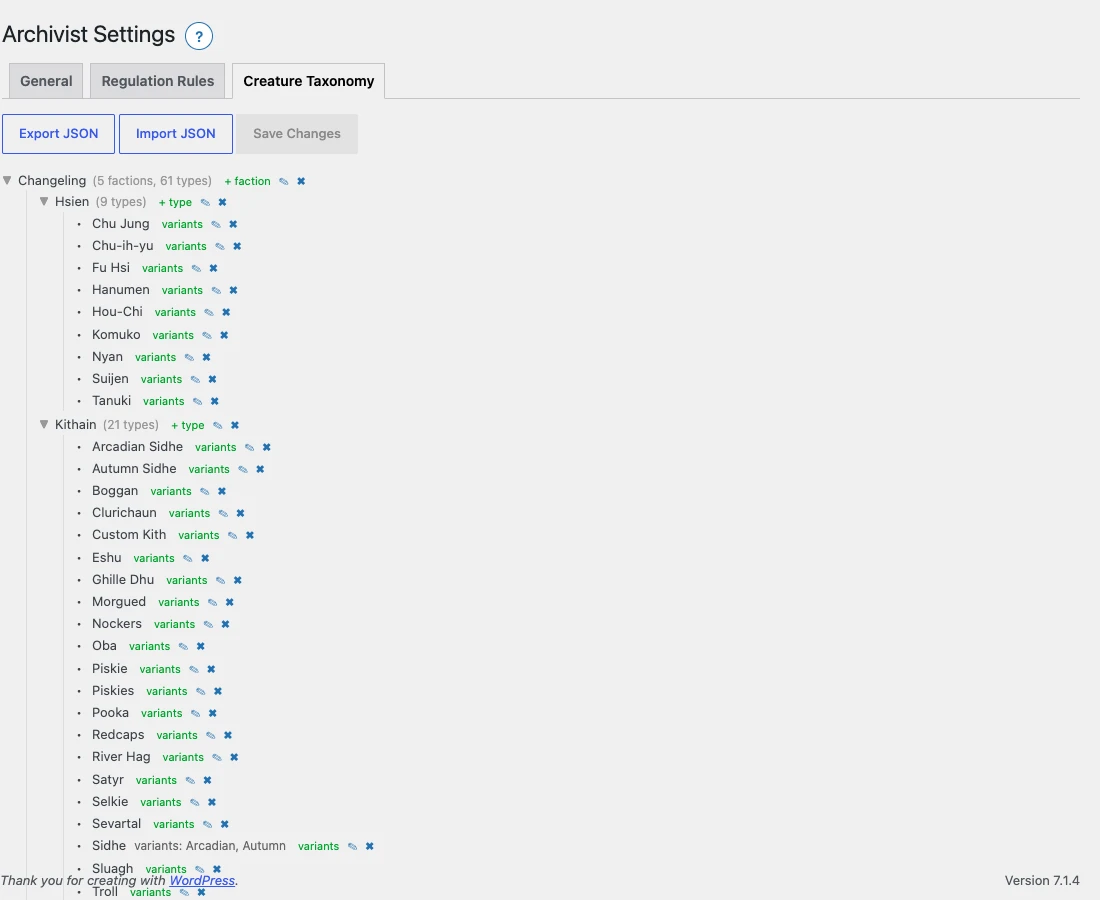
The lists behind every Creature picker in OAT: genres, the factions in each, the types in each faction, and their variants.
Who can use this #
Accounts with the Archivist's access on the Archivist site. A change here reaches every creature picker on every OWbN site within the hour.
How to get there #
On archivist.owbn.net, wp-admin → Archivist → Settings → Creature Taxonomy tab.
The screen #
- Creature Type Taxonomy – the tree: each genre, its factions, each faction's types, and each type's variants. Add, rename or remove an entry at any level.
- Save Changes and Cancel.
- Export JSON saves the whole tree to a file; Import JSON loads one back.
Common tasks #
Add a clan to a Sect's list #
- Open the Vampire genre and the Sect's faction.
- Add the type, and its variants if it has any.
- Click Save Changes.
Back up the lists before a big change #
- Click Export JSON and keep the file.
Things to know #
- For Vampire, a faction's types are what that Sect may take at character creation, as the Character Bylaws list them. A character outside that list is a Sect Defector; the Character Record keeps such a clan and marks it.
- Renaming an entry doesn't change characters that already use the old name; their record keeps it and shows it as "(not on this list)".
- Other OWbN sites read the lists through the Archivist site and keep a copy for up to an hour.
Troubleshooting #
- A new type doesn't show on another site. That site still has its copy from before; it refreshes within the hour, or the Web team can clear it.
