
The Role Registry #
Every role path accessSchema knows. A role has to be here before anyone can hold it.
Who can use this #
Site admins of sso.owbn.net.
How to get there #
wp-admin on sso.owbn.net → Users → accessSchema (the screen is titled Access Schema Role Registry).
The screen #
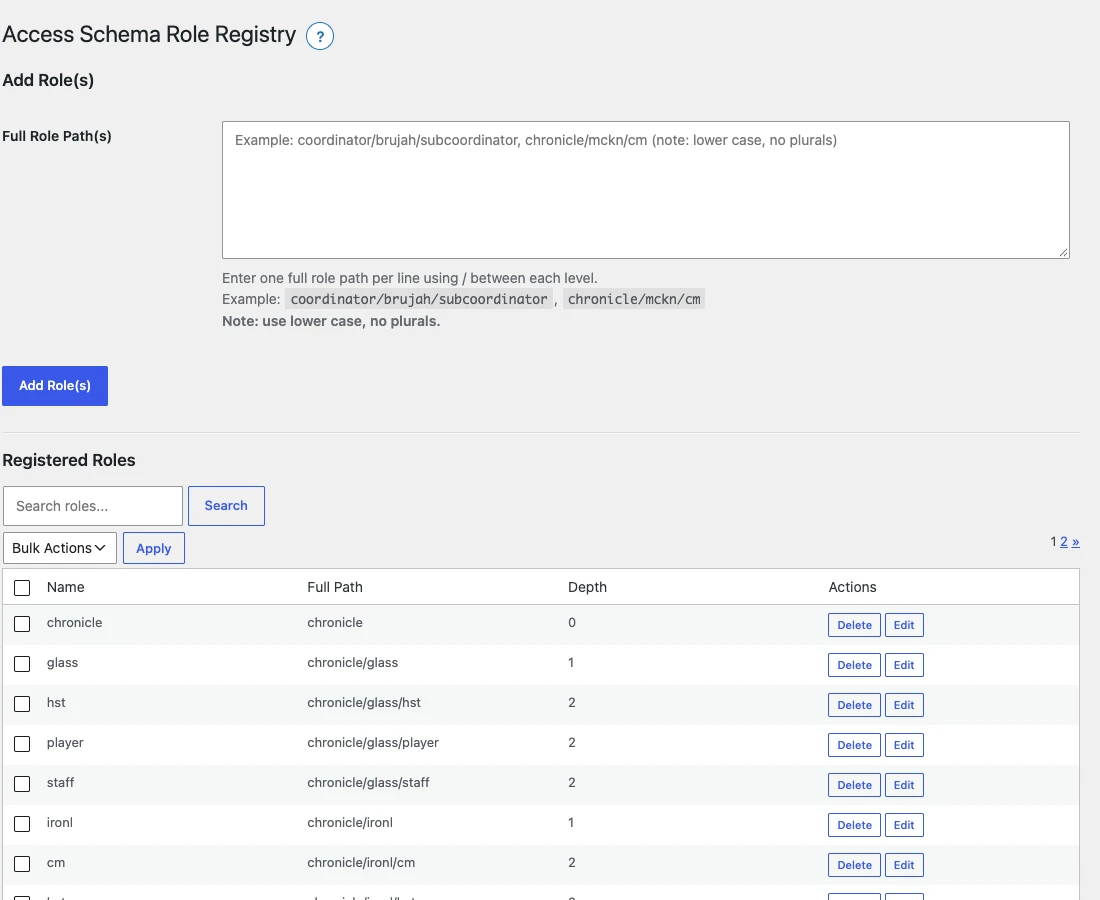
- Add Role(s) – Full Role Path(s), one per line, with
/between the levels:chronicle/mckn/cm. Lowercase, no plurals. Click Add Role(s). - Registered Roles – every role, with Name, Full Path and Depth.
- Search roles… finds roles by name or path.
- Edit changes a role's display name; its path stays.
- Delete removes a role. If it has roles below it, you're asked to delete those too.
- Bulk Actions: Delete, or Export to a CSV file.
Common tasks #
Add the roles for a new chronicle #
- In Full Role Path(s), type one per line:
chronicle/<slug>/hst,chronicle/<slug>/cm,chronicle/<slug>/staffandchronicle/<slug>/player. A satellite gets nocm. - Click Add Role(s).
Add the roles for a new coordinator office #
- Type
coordinator/<slug>/coordinatorandcoordinator/<slug>/sub-coordinator, or for an administrative officeexec/<slug>/coordinatorandexec/<slug>/staff. - Click Add Role(s).
Things to know #
- Adding a path adds the levels above it too:
chronicle/mckn/cmalso makeschronicleandchronicle/mckn. - The paths have to match what the plugins look for, letter for letter:
chronicle/mckn/hst, notChronicles/MCKN/HST. - Deleting a role takes it away from everyone who holds it, at once, and the screen can't undo it. Export first.
- Another plugin can only give someone a role that's already here.
Troubleshooting #
- A role won't add. It's already registered, or the path is deeper than Maximum Role Depth in accessSchema Settings.
- C&C Manager saved a new HST but they got no role. The chronicle's roles weren't registered yet. Add them, then save the HST again on chronicles.owbn.net.
