
Voting Settings #
The site-wide defaults for new votes, the email recipients, how voters' roles are checked, and the tools for counting late votes.
Who can use this #
Site admins.
How to get there #
wp-admin → WP Voting → Settings (the screen is titled WP Voting Settings), then the General, Permissions or Advanced tab.
The screen #
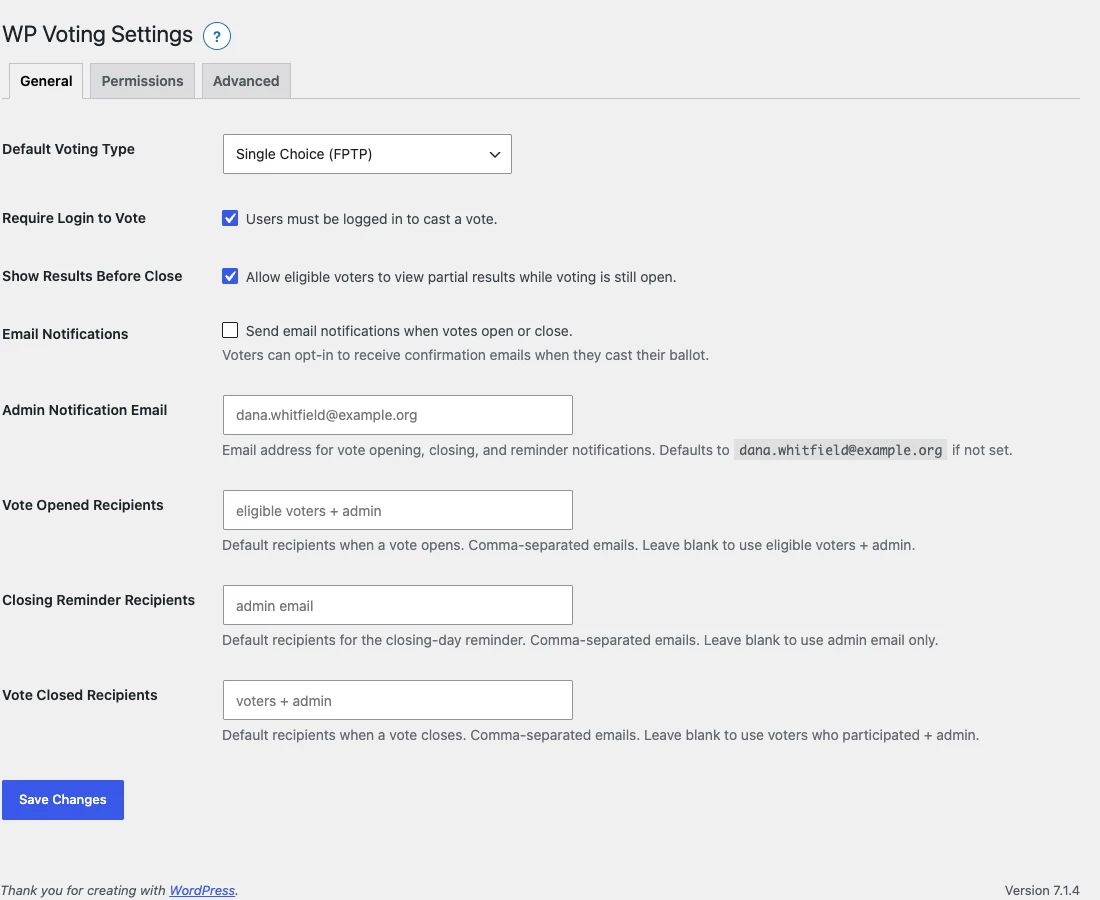
General
- Default Voting Type – the type a new vote starts with.
- Require Login to Vote.
- Show Results Before Close – lets eligible voters see the count while a vote is open.
- Email Notifications – sends the open, reminder and close emails. Voters can also ask for a confirmation of their own ballot.
- Admin Notification Email, and the default recipients for Vote Opened Recipients, Closing Reminder Recipients and Vote Closed Recipients. Blank uses the usual recipients shown next to each.
Permissions
- AccessSchema Connection – Connection Mode (Disabled, Remote Server or Local (same site)), Remote URL, API Key and Test Connection. While it's set up, each member's roles from sso.owbn.net decide what they can see and vote on.
- WordPress Capability Fallback – the capabilities for Create Votes, Manage Votes, Cast Votes and View Results, used only when AccessSchema isn't set up.
- Default Access Control for New Votes – Default Visibility, Default Visibility Roles, Default Voting Eligibility and Default Voting Roles, filled into every new vote.
Advanced
- Vote Processing – Process All Closed Votes counts any closed vote still without a result.
- Migration from v1 Plugin – Check for v1 Data and Run Migration, for sites that ran the old plugin.
- Remove Data on Uninstall – deletes every vote, ballot and result if the plugin is ever uninstalled.
Save Changes saves the tab.
Common tasks #
Check the AccessSchema connection #
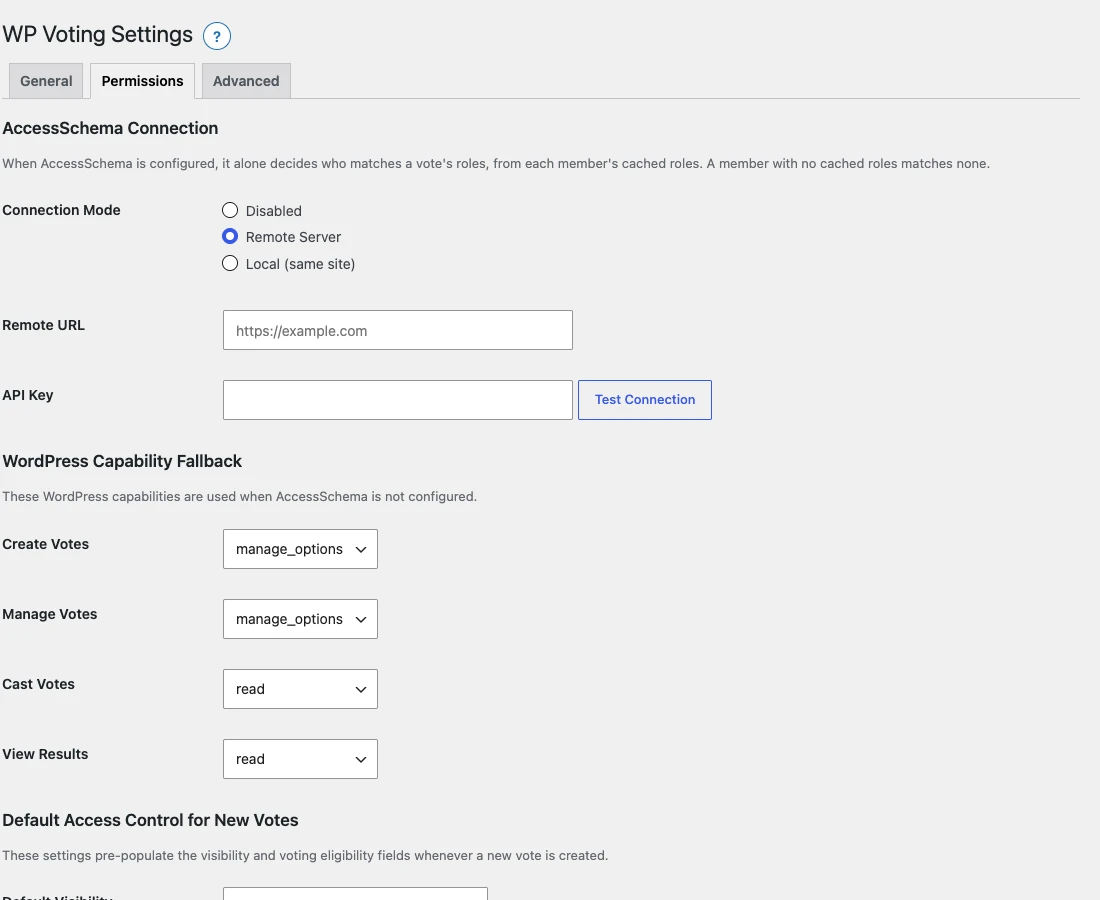
- On Permissions, click Test Connection.
- "Connection successful." means the URL and key work.
Count a vote that closed without a result #
- On Advanced, click Process All Closed Votes.
Things to know #
- With AccessSchema set up, a member with no roles on record here can't see restricted votes or vote. They pick up their roles by signing in.
- The defaults only fill in new votes; existing votes keep their own settings.
- Leave Remove Data on Uninstall off.
Troubleshooting #
- Test Connection fails. Check Remote URL and API Key against sso.owbn.net's accessSchema settings.
- Nobody gets emails. Check Email Notifications is on and the recipients are right. If they are, the site's mail isn't going out; ask the Web team.
